
Dynamic Row
The dynamic row is a special strip of tiles that appears above the board: the fixed board stays as it is, and the row changes with the topic of the moment — a trip to the zoo, lunch, a visit to grandma. That way you can add “here and now” vocabulary without building a new board every time.
Important to understand: there is one dynamic row for the whole app, not a separate row per board. You fill it once — and it follows you across every board you open, until you fill it again or clear it.
Turning it on
The row is turned on per board, via the “Dynamic row” switch in edit mode. Once the row has been shown on any board, it keeps appearing on the boards you navigate to next — until you return to the home screen, where it rests. The next time you enter a board with a dynamic row, it appears again, with the same content.
Filling the row
There are two ways to fill the row with words:
Generating with AI
- Enter edit mode and tap the empty row.
- In the field that opens — “What shall we talk about today? Type a topic...” — describe the topic in your own words.
- Within moments the row fills with fitting words, complete with images and category colors. The number of words matches the board's width.
Generating a row with AI requires an internet connection. Everything else in the app — including a row that was already filled — works without one.
Loading from another board
A tile with the “Show a board in the dynamic row” action loads another board's words into the row with a single tap. That way you can prepare small topic boards in advance — “pool”, “birthday” — and switch between them mid-conversation, without leaving the main board. How to set up the action — on the Tile actions page.
The row's menu
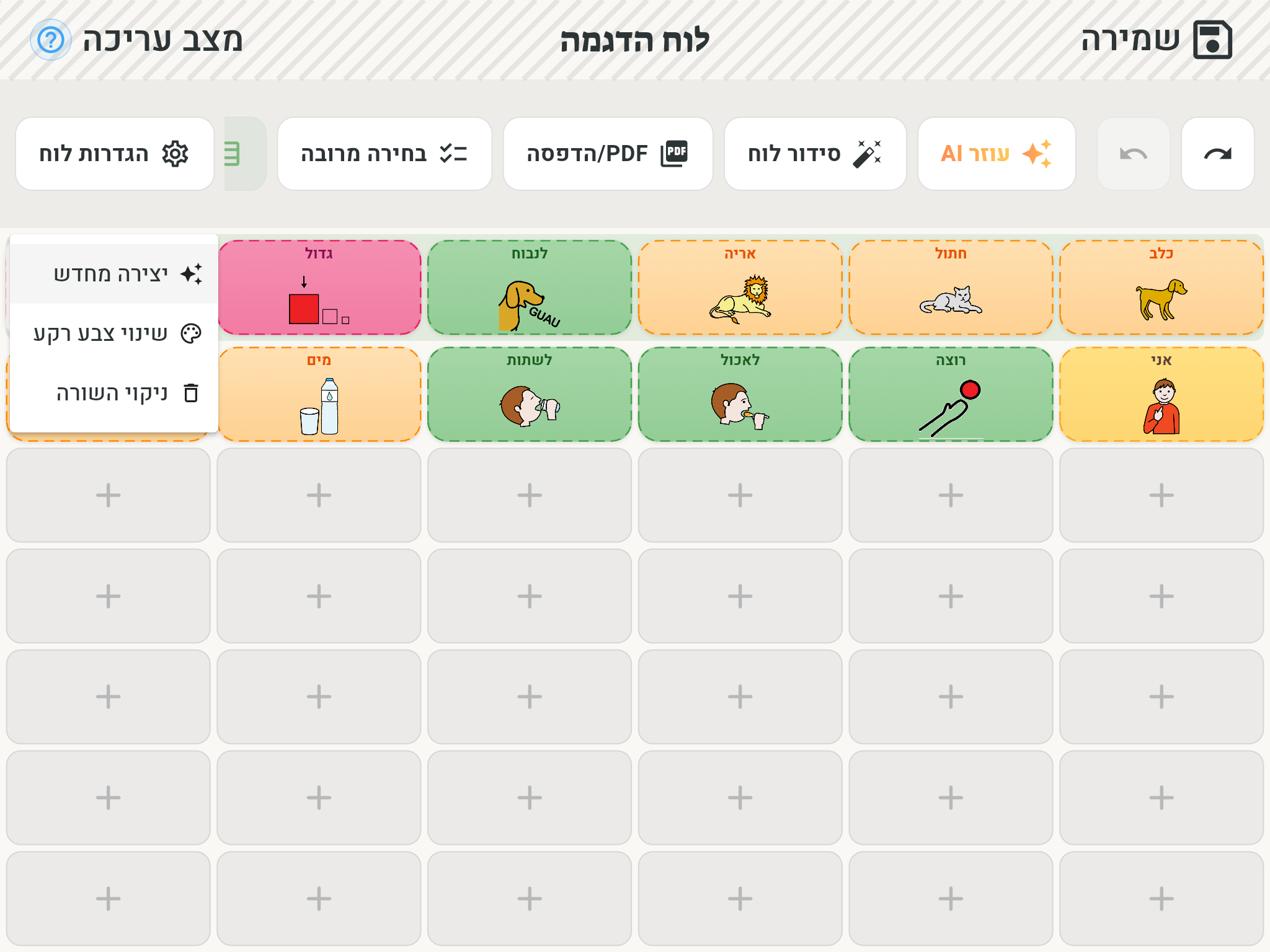
In edit mode, at the end of the row there's a menu handle with three options:
- Regenerate — type a new topic and fill the row afresh.
- Change background color — pick a background color for the strip, to set it apart from the board.
- Clear the row — empties the row of all its words.
Rearranging
In edit mode you can arrange the row's tiles by dragging — press and hold a tile and move it to a new spot within the row. Tiles don't move between the row and the board itself: the row has its own content, separate from the board.
What's kept and what isn't
The row's content survives moving between boards — navigate to another board and back, and the words are still there, in exactly the same place. But the row is content of the moment: it is not saved with the board, and it empties when the app is restarted. Words you want to keep for good — add them to the board itself through editing a board.